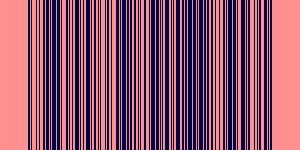
QR codes and barcodes are both useful for inventory management, but they suit different needs. Here's how to choose between them.
If you’re setting up an inventory system, one of the first decisions you’ll face is whether to label your items with QR codes or barcodes. Both work well, but they have different strengths. Here’s a practical breakdown.
What’s the difference?
Barcodes (also called 1D barcodes) encode data as a series of parallel lines of varying widths. They’re the format you see on retail products at the checkout - formats like Code 128, UPC-A and EAN-13. They’re fast to scan and universally supported by handheld scanners and point-of-sale systems.
QR codes are 2D barcodes - they store data as a grid of squares. They can hold significantly more information than a standard barcode and can be scanned by any smartphone camera without a dedicated scanner.
When to use a barcode
Barcodes are the better choice when:
- You’re integrating with retail or POS systems. Most point-of-sale and warehouse management systems are built around standard barcode formats like UPC-A or Code 128. If your inventory needs to talk to these systems, barcodes are the safer choice.
- You have dedicated scanning hardware. If your team uses handheld barcode scanners, 1D barcodes scan reliably and quickly - often faster than 2D codes on older hardware.
- Your items are small. Barcodes can be printed at very small sizes and still scan reliably, making them practical for labelling small components or parts.
When to use a QR code
QR codes are the better choice when:
- You want to link to more information. QR codes can encode a URL, so scanning an item can open a product page, maintenance record, or Airtable form directly in a browser.
- Your team uses smartphones. If your staff scan items with their phones rather than dedicated hardware, QR codes are ideal - no additional equipment required.
- You need more data in the code itself. QR codes can hold hundreds of characters, making them suitable for encoding asset IDs, serial numbers, or other details directly in the label.
- You want to encode structured data. QR codes can encode vCards, URLs, plain text and more, giving you more flexibility in how items are identified.
Can you use both?
Yes - many inventory setups use both. A warehouse might use traditional barcodes on products going out to retail while using QR codes on internal assets and equipment that staff scan with phones.
Generating barcodes and QR codes in Airtable and Microsoft Office
If you’re managing inventory in Airtable or Microsoft Office, you can generate both barcodes and QR codes directly within your workflow:
- Barcode Generator - supports Code 128, UPC-A, EAN-13, Code 39 and more, directly in Airtable and Microsoft Office.
- QR Code Generator - generate custom QR codes from any Airtable field or Excel cell, with options for logos and branding.
Both are available as Airtable extensions and Microsoft Office add-ins, so you can label items and update records without leaving your spreadsheet or database.